A Google Sheets fanfiction tracker for AO3 readers who want to organize their favourite fics, authors, fandoms, and reading statistics without the hassle of manual data entry.
This digital download template provides complete TBR list organization with automated story statistics, allowing you to manage your entire fandom library through an intuitive reader dashboard without manual data entry.
Complete Fanfiction Library Management Solution
✨ 𝐅𝐄𝐀𝐓𝐔𝐑𝐄𝐒
𝐆𝐨𝐨𝐠𝐥𝐞 𝐒𝐡𝐞𝐞𝐭𝐬 𝐟𝐚𝐧𝐟𝐢𝐜𝐭𝐢𝐨𝐧 𝐭𝐫𝐚𝐜𝐤𝐞𝐫 designed specifically for organizing your fanfiction library.
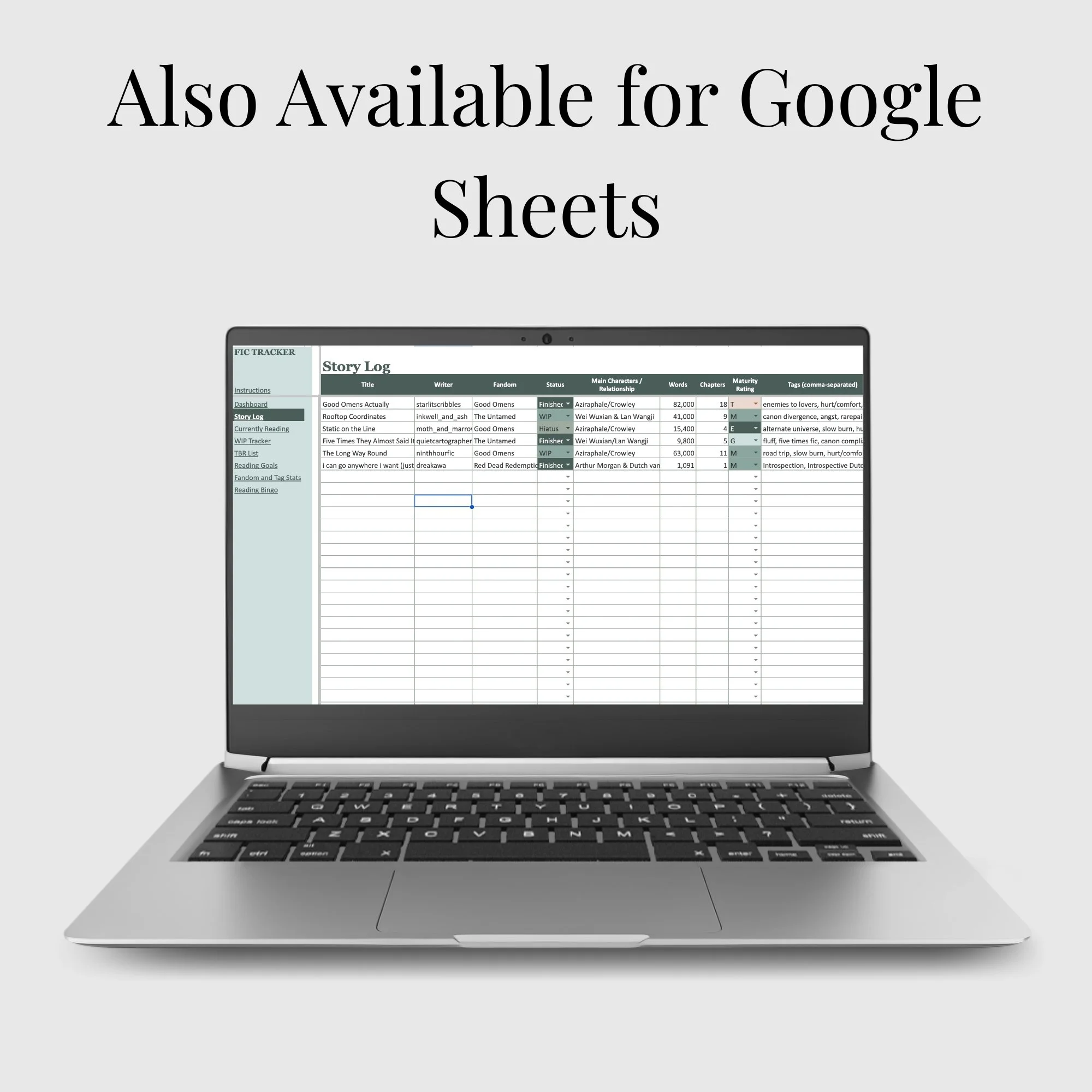
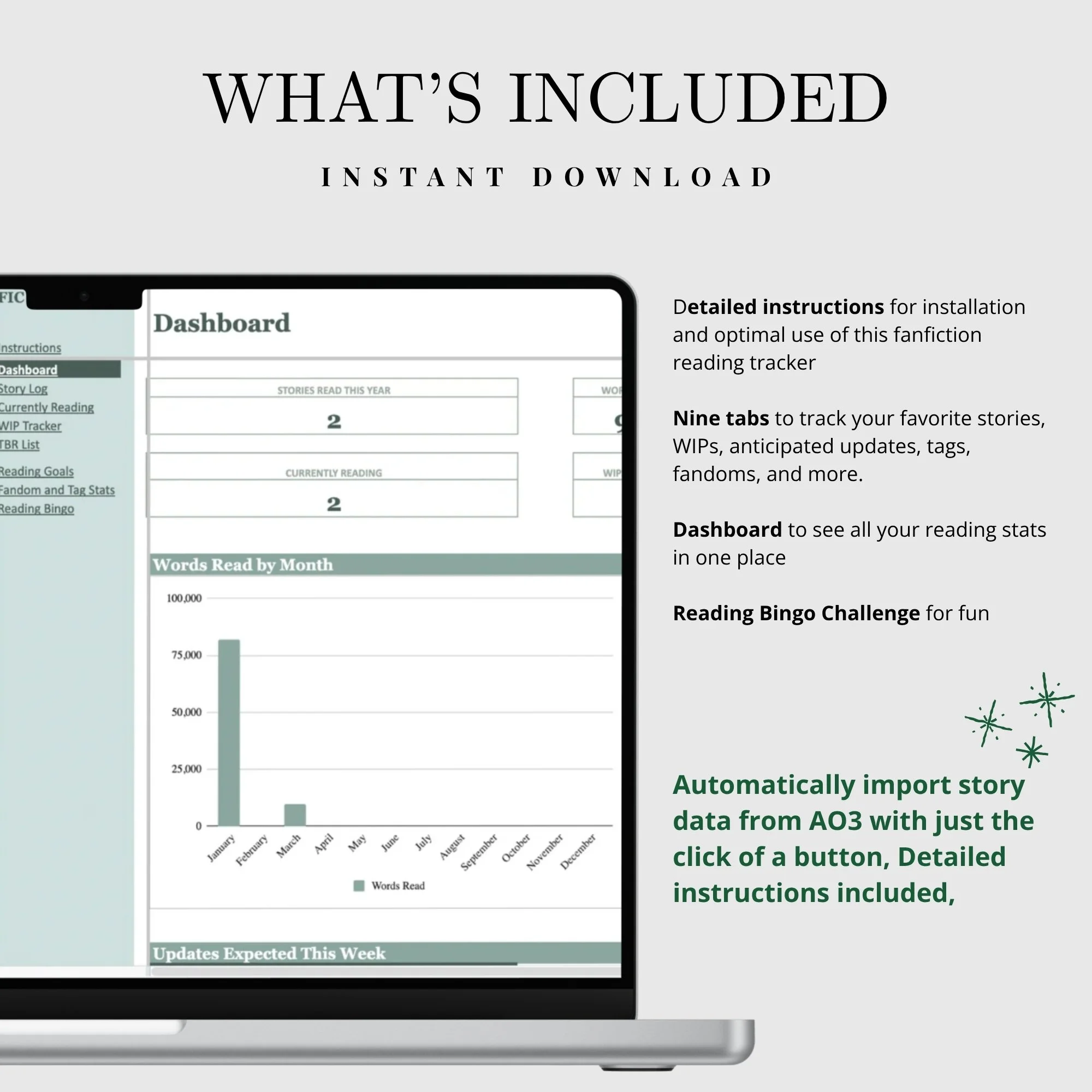
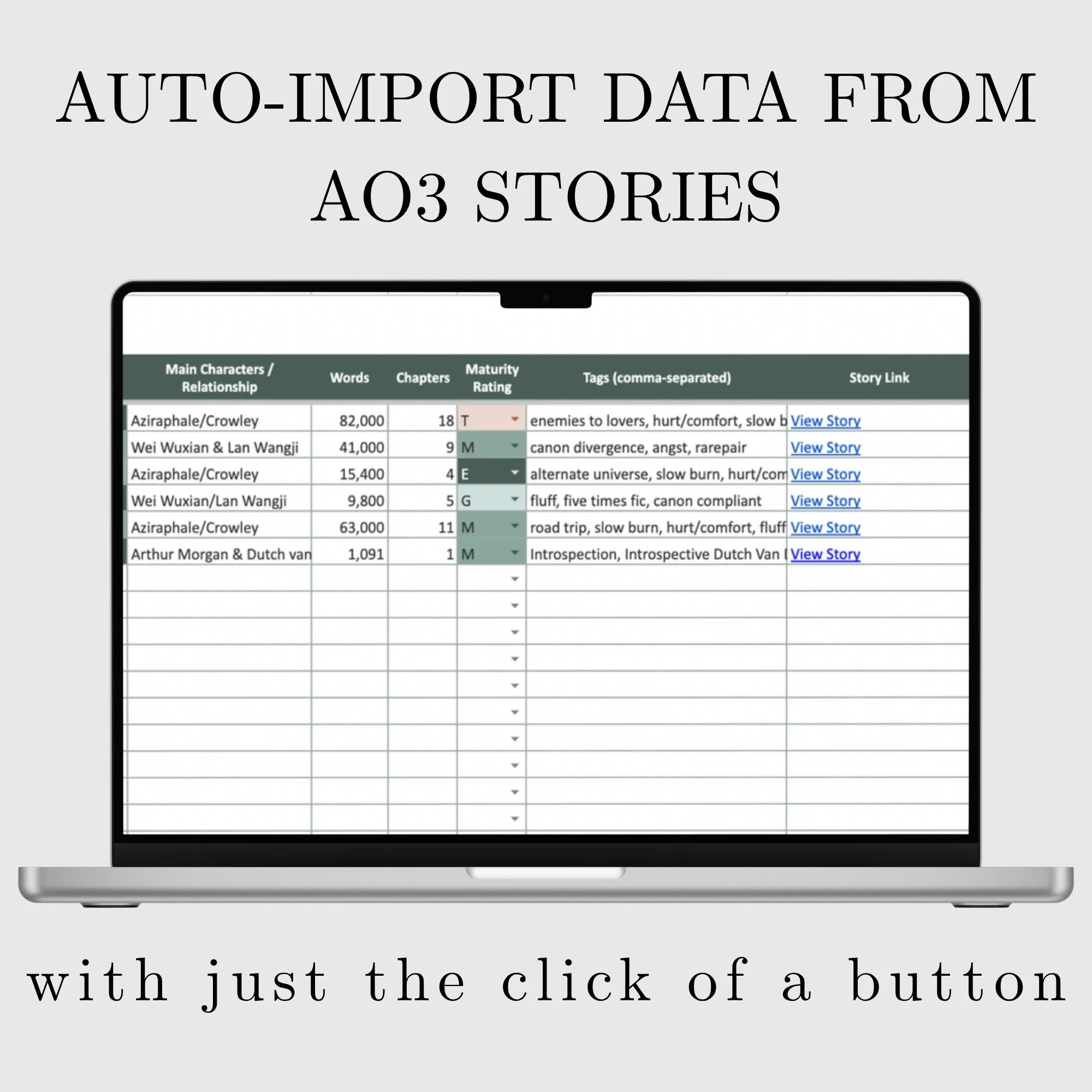
• 𝐀𝐮𝐭𝐨𝐦𝐚𝐭𝐢𝐜𝐚𝐥𝐥𝐲 𝐢𝐦𝐩𝐨𝐫𝐭 𝐀𝐎𝟑 𝐬𝐭𝐨𝐫𝐲 𝐝𝐞𝐭𝐚𝐢𝐥𝐬 by simply pasting an AO3 link into the spreadsheet. The built-in import tool retrieves story information for you, including: title, author, fandom, word count, tags, and completion status
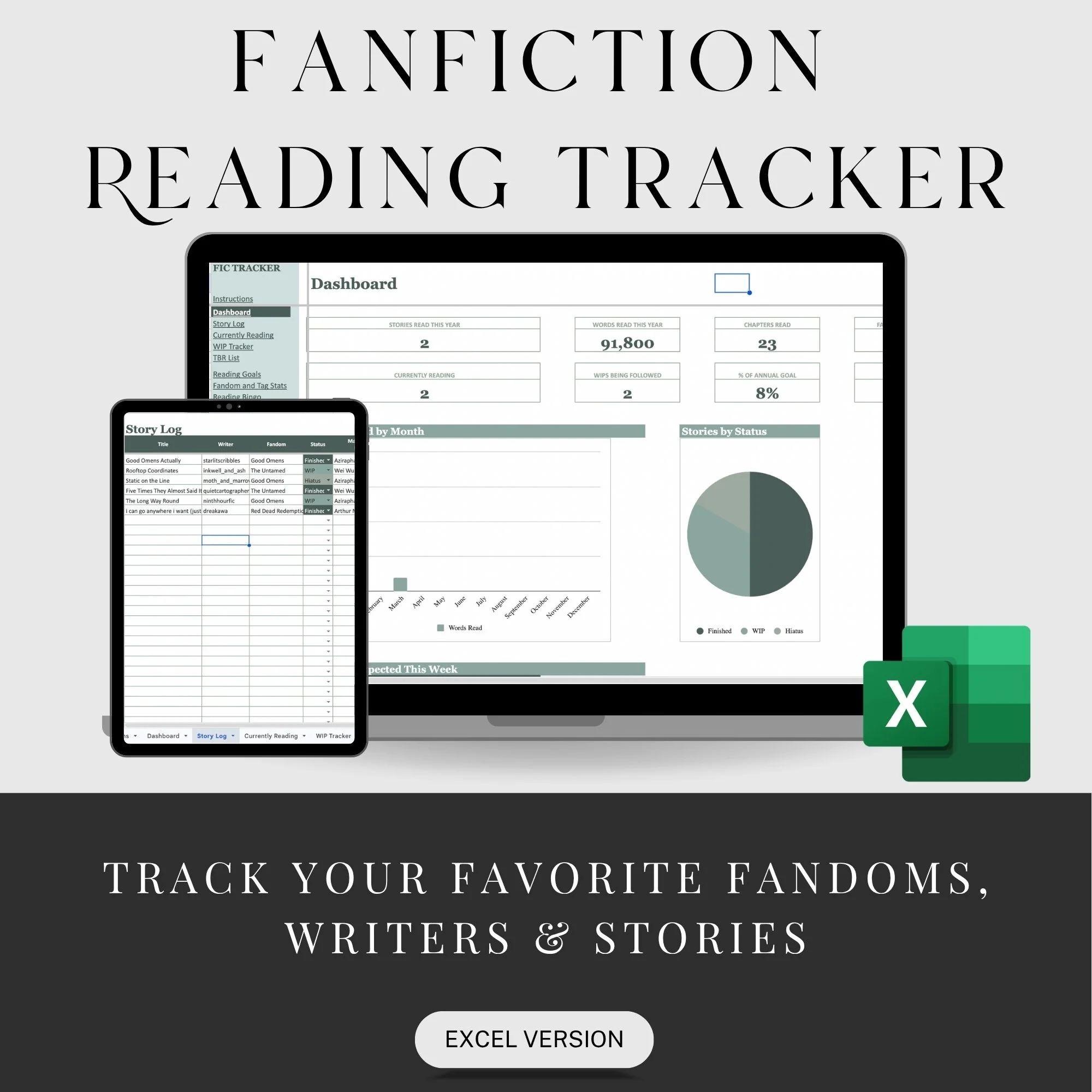
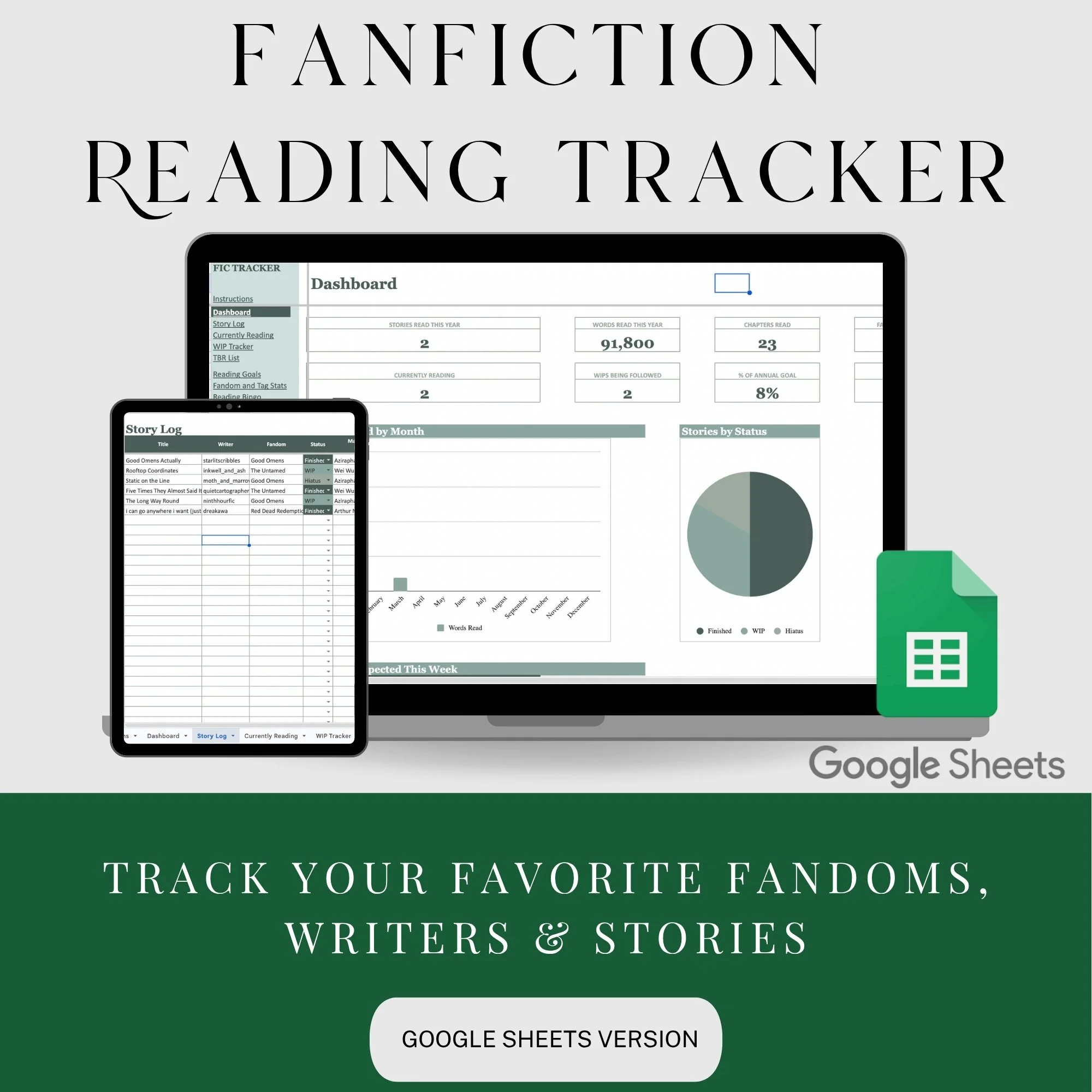
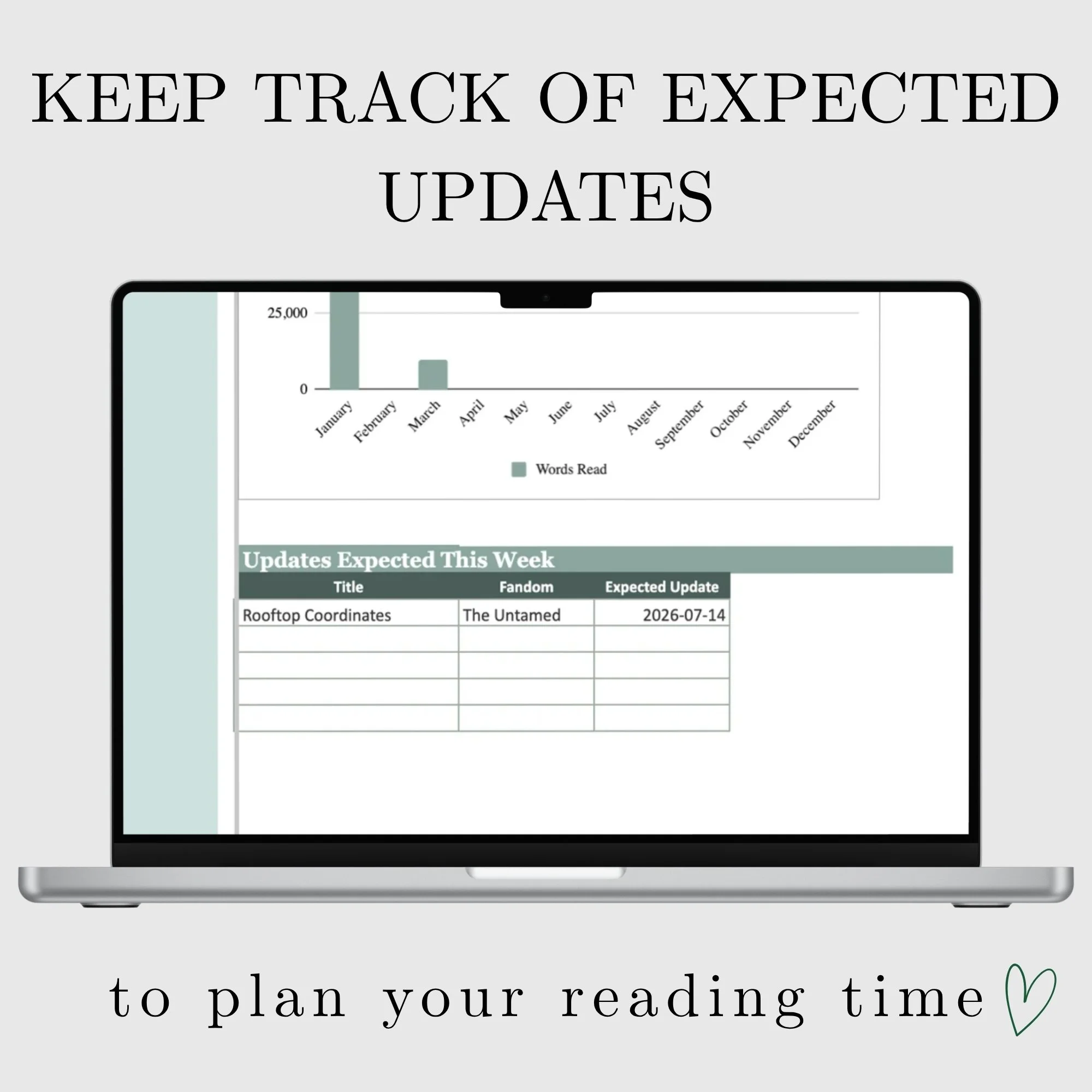
• Beautiful aesthetic charts and data tracking visualizations to monitor your reading progress, favorite fandoms, and personal statistics
• Organized TBR list system with customizable categories, reading status tracking, and priority rankings
• Digital download template ready for immediate use - no software installation required, works directly in Google Sheets
• Comprehensive reader dashboard featuring author tracking, fandom organization, and detailed reading statistics at a glance
𝐍𝐨 𝐭𝐞𝐝𝐢𝐨𝐮𝐬 𝐜𝐨𝐩𝐲-𝐚𝐧𝐝-𝐩𝐚𝐬𝐭𝐞. Save hours of manual data entry and build your fanfiction library in seconds.
𝐓𝐫𝐚𝐜𝐤 𝐲𝐨𝐮𝐫 𝐟𝐚𝐯𝐨𝐮𝐫𝐢𝐭𝐞 𝐟𝐚𝐧𝐟𝐢𝐜𝐭𝐢𝐨𝐧 𝐬𝐭𝐨𝐫𝐢𝐞𝐬 across all your fandoms in one organized spreadsheet.
𝐊𝐞𝐞𝐩 𝐚 𝐩𝐞𝐫𝐬𝐨𝐧𝐚𝐥 𝐚𝐫𝐜𝐡𝐢𝐯𝐞 𝐨𝐟 𝐲𝐨𝐮𝐫 𝐟𝐚𝐯𝐨𝐮𝐫𝐢𝐭𝐞 𝐟𝐚𝐧𝐟𝐢𝐜𝐭𝐢𝐨𝐧 𝐚𝐮𝐭𝐡𝐨𝐫𝐬 and discover which writers you return to most often.
𝐌𝐨𝐧𝐢𝐭𝐨𝐫 𝐲𝐨𝐮𝐫 𝐟𝐚𝐧𝐟𝐢𝐜𝐭𝐢𝐨𝐧 𝐫𝐞𝐚𝐝𝐢𝐧𝐠 𝐠𝐨𝐚𝐥𝐬 and watch your progress over time.
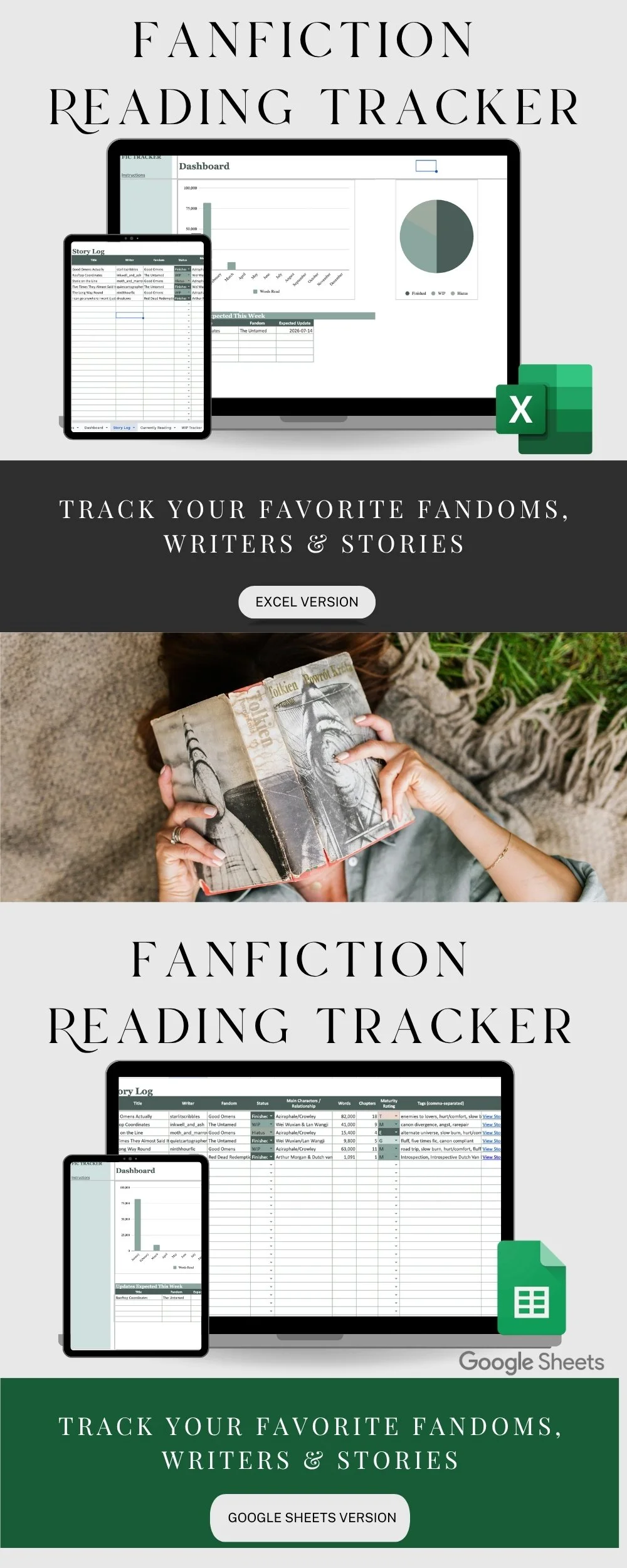
𝐁𝐞𝐚𝐮𝐭𝐢𝐟𝐮𝐥 𝐯𝐢𝐬𝐮𝐚𝐥 𝐝𝐚𝐬𝐡𝐛𝐨𝐚𝐫𝐝 with easy-to-read charts and reading statistics.
𝐒𝐞𝐞 𝐲𝐨𝐮𝐫 𝐦𝐨𝐬𝐭-𝐫𝐞𝐚𝐝 𝐟𝐚𝐧𝐝𝐨𝐦𝐬, 𝐭𝐚𝐠𝐬, 𝐚𝐮𝐭𝐡𝐨𝐫𝐬, 𝐚𝐧𝐝 𝐦𝐨𝐫𝐞 with automatically updated analytics.
𝐓𝐫𝐚𝐜𝐤 𝐲𝐨𝐮𝐫 𝐟𝐚𝐯𝐨𝐮𝐫𝐢𝐭𝐞 𝐭𝐚𝐠𝐬 𝐛𝐲 𝐟𝐚𝐧𝐝𝐨𝐦 to identify the tropes, ships, and themes you love most.
𝐑𝐞𝐚𝐝𝐢𝐧𝐠 𝐁𝐢𝐧𝐠𝐨 𝐭𝐫𝐚𝐜𝐤𝐞𝐫 adds a fun challenge to your reading throughout the year.
𝟗 𝐨𝐫𝐠𝐚𝐧𝐢𝐳𝐞𝐝 𝐭𝐚𝐛𝐬 to manage your library, reading statistics, favourite writers, fandoms, dashboard, bingo, and more.
𝐃𝐞𝐬𝐢𝐠𝐧𝐞𝐝 𝐰𝐢𝐭𝐡𝐨𝐮𝐭 𝐬𝐭𝐨𝐫𝐲 𝐫𝐚𝐭𝐢𝐧𝐠𝐬.This tracker intentionally does not include star ratings or numerical scoring, making it perfect for readers who simply want to remember and organize the stories they love.
𝐈𝐧𝐬𝐭𝐫𝐮𝐜𝐭𝐢𝐨𝐧𝐬 𝐢𝐧𝐜𝐥𝐮𝐝𝐞𝐝, along with a step-by-step video tutorial for setting up the AO3 import feature.
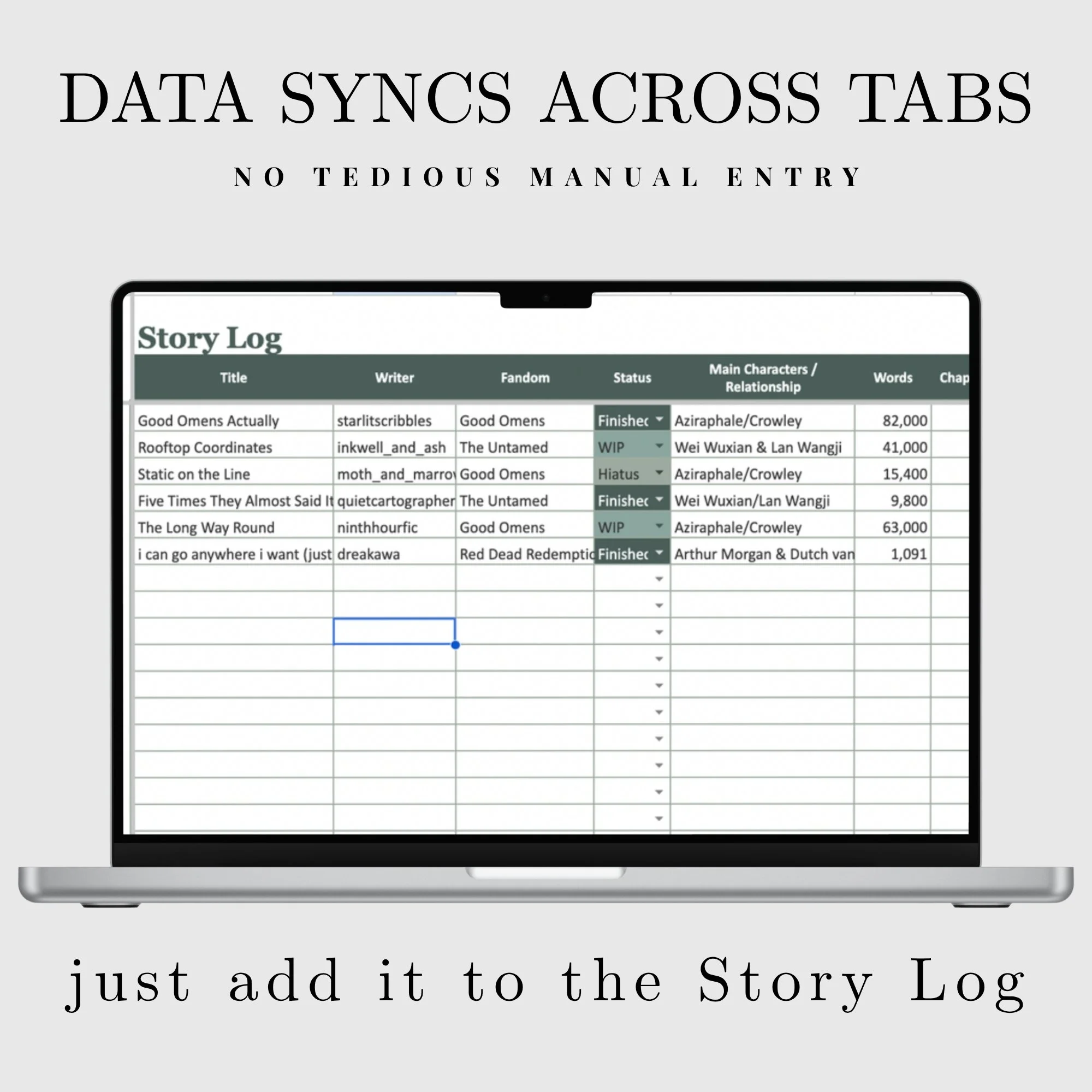
𝐀𝐮𝐭𝐨𝐦𝐚𝐭𝐢𝐜 𝐬𝐲𝐧𝐜𝐢𝐧𝐠 𝐛𝐞𝐭𝐰𝐞𝐞𝐧 𝐭𝐚𝐛𝐬 means you enter information once and let the spreadsheet do the rest.
𝐇𝐎𝐖 𝐓𝐎 𝐎𝐑𝐃𝐄𝐑
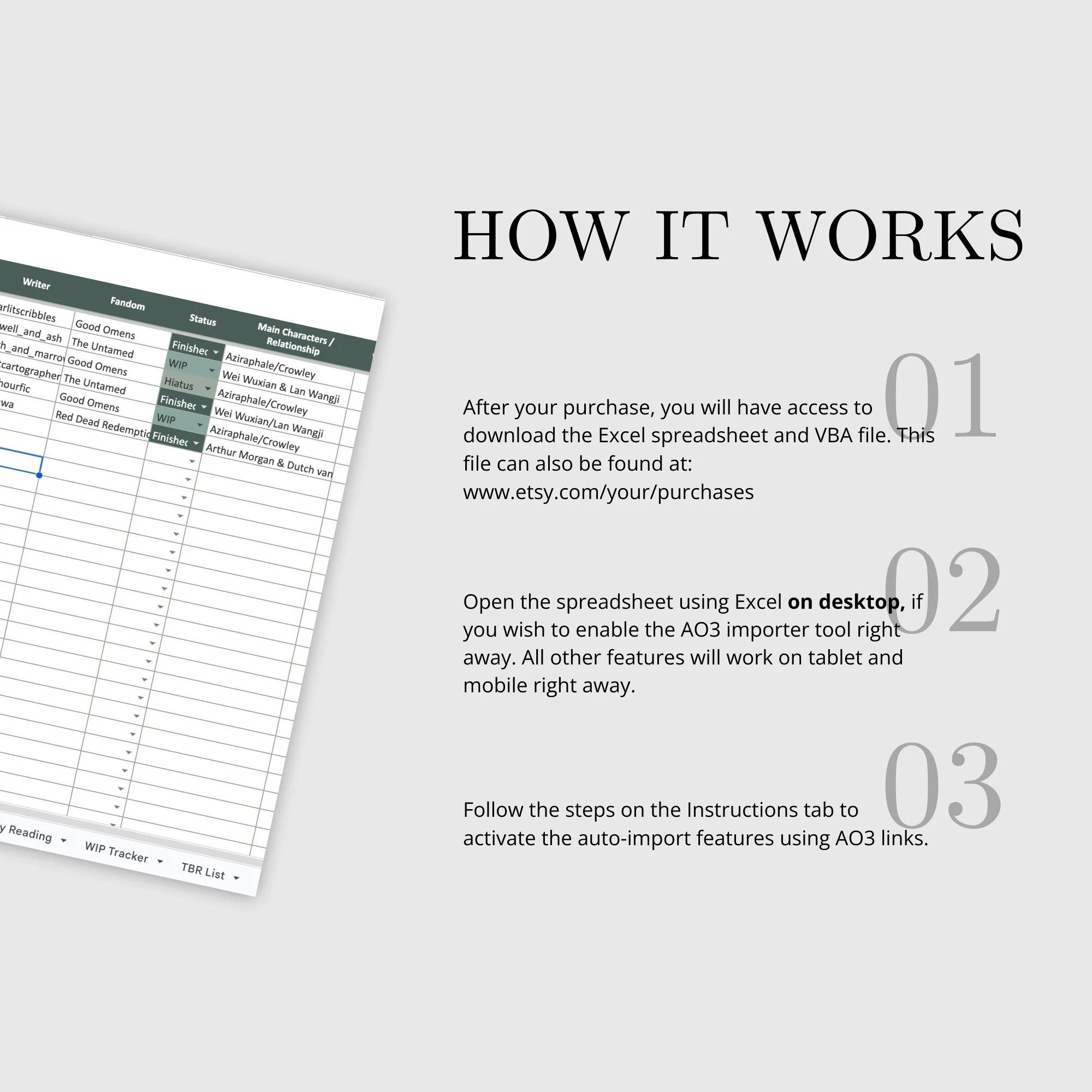
1. Add this listing to your cart and proceed to checkout.
2. Download the PDF and Apps Script files sent to your email.
3. Follow the link in the PDF to access the spreadsheet and choose File > Make A Copy
4. Follow the steps on the Instructions tab to enable the auto-importer for AO3 links
𝐅𝐑𝐄𝐐𝐔𝐄𝐍𝐓𝐋𝐘 𝐀𝐒𝐊𝐄𝐃 𝐐𝐔𝐄𝐒𝐓𝐈𝐎𝐍𝐒
𝐖𝐡𝐚𝐭 𝐝𝐨 𝐈 𝐫𝐞𝐜𝐞𝐢𝐯𝐞 𝐚𝐟𝐭𝐞𝐫 𝐩𝐮𝐫𝐜𝐡𝐚𝐬𝐞?
You'll receive:
* A PDF containing a link to your Google Sheets tracker
* One Google Sheets spreadsheet with 9 tabs
* A plain text Apps Script file used to power the AO3 import button
* Written setup instructions
* A link to a video tutorial showing you exactly how to enable the import feature
𝐇𝐨𝐰 𝐝𝐨 𝐈 𝐝𝐨𝐰𝐧𝐥𝐨𝐚𝐝 𝐦𝐲 𝐟𝐢𝐥𝐞𝐬?
After your purchase, you'll be able to download your files. The PDF includes the link to your Google Sheets tracker, and you'll also receive the Apps Script file needed to enable the AO3 import function.
𝐖𝐢𝐥𝐥 𝐭𝐡𝐢𝐬 𝐰𝐨𝐫𝐤 𝐢𝐧 𝐄𝐱𝐜𝐞𝐥 𝐨𝐫 𝐀𝐩𝐩𝐥𝐞 𝐍𝐮𝐦𝐛𝐞𝐫𝐬?
This version is built specifically for 𝐆𝐨𝐨𝐠𝐥𝐞 𝐒𝐡𝐞𝐞𝐭𝐬. The automatic AO3 import feature relies on Google Apps Script, which is not supported in Microsoft Excel or Apple Numbers.
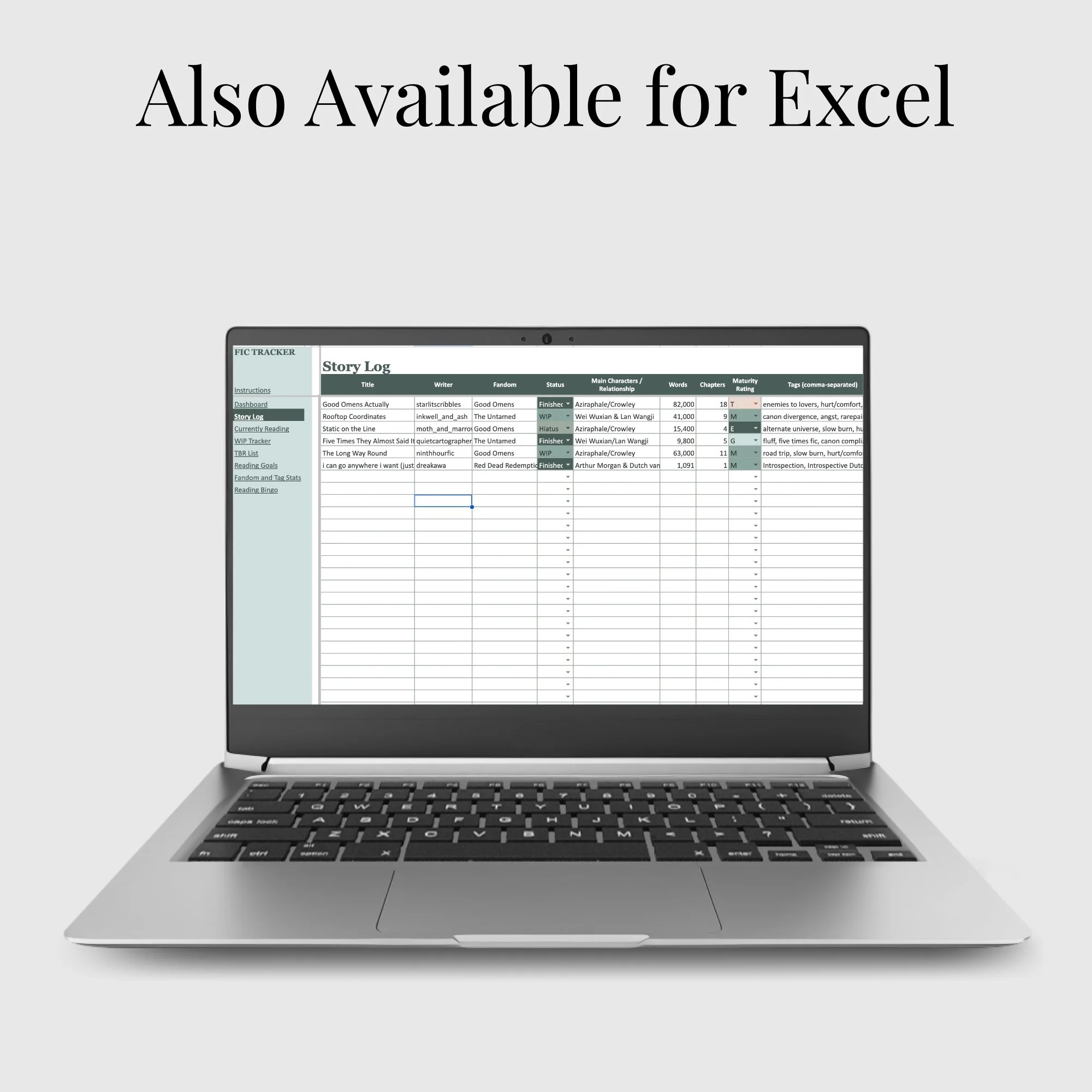
If you're looking for an Excel version, a separate edition is available.
𝐈'𝐦 𝐧𝐨𝐭 𝐯𝐞𝐫𝐲 𝐭𝐞𝐜𝐡-𝐬𝐚𝐯𝐯𝐲. 𝐂𝐚𝐧 𝐈 𝐬𝐭𝐢𝐥𝐥 𝐮𝐬𝐞 𝐭𝐡𝐢𝐬?
Absolutely! Detailed written instructions are included, along with a video walkthrough that shows exactly how to enable the AO3 import button. Once it's set up, the spreadsheet is designed to be as simple as possible, with information automatically syncing across multiple tabs.
𝐂𝐚𝐧 𝐈 𝐢𝐦𝐩𝐨𝐫𝐭 𝐬𝐭𝐨𝐫𝐢𝐞𝐬 𝐟𝐫𝐨𝐦 𝐅𝐚𝐧𝐅𝐢𝐜𝐭𝐢𝐨𝐧.𝐧𝐞𝐭, 𝐖𝐚𝐭𝐭𝐩𝐚𝐝, 𝐓𝐮𝐦𝐛𝐥𝐫, 𝐨𝐫 𝐨𝐭𝐡𝐞𝐫 𝐰𝐞𝐛𝐬𝐢𝐭𝐞𝐬?
The automatic import feature currently works 𝐨𝐧𝐥𝐲 𝐰𝐢𝐭𝐡 𝐀𝐫𝐜𝐡𝐢𝐯𝐞 𝐨𝐟 𝐎𝐮𝐫 𝐎𝐰𝐧 (𝐀𝐎𝟑) links.
However, you can still manually enter stories from any fanfiction website, including FanFiction.net, Wattpad, Tumblr, SquidgeWorld, or personal author websites.
𝐃𝐨 𝐈 𝐧𝐞𝐞𝐝 𝐚𝐧 𝐀𝐎𝟑 𝐚𝐜𝐜𝐨𝐮𝐧𝐭?
No. You don't need an AO3 account to use the tracker. As long as the work is publicly accessible on AO3, you can paste its link into the spreadsheet and import the available information.
𝐖𝐢𝐥𝐥 𝐦𝐲 𝐝𝐚𝐭𝐚 𝐬𝐭𝐚𝐲 𝐩𝐫𝐢𝐯𝐚𝐭𝐞?
Yes. Once you've made your own copy of the Google Sheet, your reading tracker lives in your own Google Drive. Only you can access it unless you choose to share it with someone else.
𝐂𝐚𝐧 𝐈 𝐜𝐮𝐬𝐭𝐨𝐦𝐢𝐳𝐞 𝐭𝐡𝐞 𝐬𝐩𝐫𝐞𝐚𝐝𝐬𝐡𝐞𝐞𝐭?
Yes! After making your own copy, you're free to personalize it with your own charts, categories, filters, and additional tabs if you'd like.
A Google Sheets fanfiction tracker for AO3 readers who want to organize their favourite fics, authors, fandoms, and reading statistics without the hassle of manual data entry.
This digital download template provides complete TBR list organization with automated story statistics, allowing you to manage your entire fandom library through an intuitive reader dashboard without manual data entry.
Complete Fanfiction Library Management Solution
✨ 𝐅𝐄𝐀𝐓𝐔𝐑𝐄𝐒
𝐆𝐨𝐨𝐠𝐥𝐞 𝐒𝐡𝐞𝐞𝐭𝐬 𝐟𝐚𝐧𝐟𝐢𝐜𝐭𝐢𝐨𝐧 𝐭𝐫𝐚𝐜𝐤𝐞𝐫 designed specifically for organizing your fanfiction library.
• 𝐀𝐮𝐭𝐨𝐦𝐚𝐭𝐢𝐜𝐚𝐥𝐥𝐲 𝐢𝐦𝐩𝐨𝐫𝐭 𝐀𝐎𝟑 𝐬𝐭𝐨𝐫𝐲 𝐝𝐞𝐭𝐚𝐢𝐥𝐬 by simply pasting an AO3 link into the spreadsheet. The built-in import tool retrieves story information for you, including: title, author, fandom, word count, tags, and completion status
• Beautiful aesthetic charts and data tracking visualizations to monitor your reading progress, favorite fandoms, and personal statistics
• Organized TBR list system with customizable categories, reading status tracking, and priority rankings
• Digital download template ready for immediate use - no software installation required, works directly in Google Sheets
• Comprehensive reader dashboard featuring author tracking, fandom organization, and detailed reading statistics at a glance
𝐍𝐨 𝐭𝐞𝐝𝐢𝐨𝐮𝐬 𝐜𝐨𝐩𝐲-𝐚𝐧𝐝-𝐩𝐚𝐬𝐭𝐞. Save hours of manual data entry and build your fanfiction library in seconds.
𝐓𝐫𝐚𝐜𝐤 𝐲𝐨𝐮𝐫 𝐟𝐚𝐯𝐨𝐮𝐫𝐢𝐭𝐞 𝐟𝐚𝐧𝐟𝐢𝐜𝐭𝐢𝐨𝐧 𝐬𝐭𝐨𝐫𝐢𝐞𝐬 across all your fandoms in one organized spreadsheet.
𝐊𝐞𝐞𝐩 𝐚 𝐩𝐞𝐫𝐬𝐨𝐧𝐚𝐥 𝐚𝐫𝐜𝐡𝐢𝐯𝐞 𝐨𝐟 𝐲𝐨𝐮𝐫 𝐟𝐚𝐯𝐨𝐮𝐫𝐢𝐭𝐞 𝐟𝐚𝐧𝐟𝐢𝐜𝐭𝐢𝐨𝐧 𝐚𝐮𝐭𝐡𝐨𝐫𝐬 and discover which writers you return to most often.
𝐌𝐨𝐧𝐢𝐭𝐨𝐫 𝐲𝐨𝐮𝐫 𝐟𝐚𝐧𝐟𝐢𝐜𝐭𝐢𝐨𝐧 𝐫𝐞𝐚𝐝𝐢𝐧𝐠 𝐠𝐨𝐚𝐥𝐬 and watch your progress over time.
𝐁𝐞𝐚𝐮𝐭𝐢𝐟𝐮𝐥 𝐯𝐢𝐬𝐮𝐚𝐥 𝐝𝐚𝐬𝐡𝐛𝐨𝐚𝐫𝐝 with easy-to-read charts and reading statistics.
𝐒𝐞𝐞 𝐲𝐨𝐮𝐫 𝐦𝐨𝐬𝐭-𝐫𝐞𝐚𝐝 𝐟𝐚𝐧𝐝𝐨𝐦𝐬, 𝐭𝐚𝐠𝐬, 𝐚𝐮𝐭𝐡𝐨𝐫𝐬, 𝐚𝐧𝐝 𝐦𝐨𝐫𝐞 with automatically updated analytics.
𝐓𝐫𝐚𝐜𝐤 𝐲𝐨𝐮𝐫 𝐟𝐚𝐯𝐨𝐮𝐫𝐢𝐭𝐞 𝐭𝐚𝐠𝐬 𝐛𝐲 𝐟𝐚𝐧𝐝𝐨𝐦 to identify the tropes, ships, and themes you love most.
𝐑𝐞𝐚𝐝𝐢𝐧𝐠 𝐁𝐢𝐧𝐠𝐨 𝐭𝐫𝐚𝐜𝐤𝐞𝐫 adds a fun challenge to your reading throughout the year.
𝟗 𝐨𝐫𝐠𝐚𝐧𝐢𝐳𝐞𝐝 𝐭𝐚𝐛𝐬 to manage your library, reading statistics, favourite writers, fandoms, dashboard, bingo, and more.
𝐃𝐞𝐬𝐢𝐠𝐧𝐞𝐝 𝐰𝐢𝐭𝐡𝐨𝐮𝐭 𝐬𝐭𝐨𝐫𝐲 𝐫𝐚𝐭𝐢𝐧𝐠𝐬.This tracker intentionally does not include star ratings or numerical scoring, making it perfect for readers who simply want to remember and organize the stories they love.
𝐈𝐧𝐬𝐭𝐫𝐮𝐜𝐭𝐢𝐨𝐧𝐬 𝐢𝐧𝐜𝐥𝐮𝐝𝐞𝐝, along with a step-by-step video tutorial for setting up the AO3 import feature.
𝐀𝐮𝐭𝐨𝐦𝐚𝐭𝐢𝐜 𝐬𝐲𝐧𝐜𝐢𝐧𝐠 𝐛𝐞𝐭𝐰𝐞𝐞𝐧 𝐭𝐚𝐛𝐬 means you enter information once and let the spreadsheet do the rest.
𝐇𝐎𝐖 𝐓𝐎 𝐎𝐑𝐃𝐄𝐑
1. Add this listing to your cart and proceed to checkout.
2. Download the PDF and Apps Script files sent to your email.
3. Follow the link in the PDF to access the spreadsheet and choose File > Make A Copy
4. Follow the steps on the Instructions tab to enable the auto-importer for AO3 links
𝐅𝐑𝐄𝐐𝐔𝐄𝐍𝐓𝐋𝐘 𝐀𝐒𝐊𝐄𝐃 𝐐𝐔𝐄𝐒𝐓𝐈𝐎𝐍𝐒
𝐖𝐡𝐚𝐭 𝐝𝐨 𝐈 𝐫𝐞𝐜𝐞𝐢𝐯𝐞 𝐚𝐟𝐭𝐞𝐫 𝐩𝐮𝐫𝐜𝐡𝐚𝐬𝐞?
You'll receive:
* A PDF containing a link to your Google Sheets tracker
* One Google Sheets spreadsheet with 9 tabs
* A plain text Apps Script file used to power the AO3 import button
* Written setup instructions
* A link to a video tutorial showing you exactly how to enable the import feature
𝐇𝐨𝐰 𝐝𝐨 𝐈 𝐝𝐨𝐰𝐧𝐥𝐨𝐚𝐝 𝐦𝐲 𝐟𝐢𝐥𝐞𝐬?
After your purchase, you'll be able to download your files. The PDF includes the link to your Google Sheets tracker, and you'll also receive the Apps Script file needed to enable the AO3 import function.
𝐖𝐢𝐥𝐥 𝐭𝐡𝐢𝐬 𝐰𝐨𝐫𝐤 𝐢𝐧 𝐄𝐱𝐜𝐞𝐥 𝐨𝐫 𝐀𝐩𝐩𝐥𝐞 𝐍𝐮𝐦𝐛𝐞𝐫𝐬?
This version is built specifically for 𝐆𝐨𝐨𝐠𝐥𝐞 𝐒𝐡𝐞𝐞𝐭𝐬. The automatic AO3 import feature relies on Google Apps Script, which is not supported in Microsoft Excel or Apple Numbers.
If you're looking for an Excel version, a separate edition is available.
𝐈'𝐦 𝐧𝐨𝐭 𝐯𝐞𝐫𝐲 𝐭𝐞𝐜𝐡-𝐬𝐚𝐯𝐯𝐲. 𝐂𝐚𝐧 𝐈 𝐬𝐭𝐢𝐥𝐥 𝐮𝐬𝐞 𝐭𝐡𝐢𝐬?
Absolutely! Detailed written instructions are included, along with a video walkthrough that shows exactly how to enable the AO3 import button. Once it's set up, the spreadsheet is designed to be as simple as possible, with information automatically syncing across multiple tabs.
𝐂𝐚𝐧 𝐈 𝐢𝐦𝐩𝐨𝐫𝐭 𝐬𝐭𝐨𝐫𝐢𝐞𝐬 𝐟𝐫𝐨𝐦 𝐅𝐚𝐧𝐅𝐢𝐜𝐭𝐢𝐨𝐧.𝐧𝐞𝐭, 𝐖𝐚𝐭𝐭𝐩𝐚𝐝, 𝐓𝐮𝐦𝐛𝐥𝐫, 𝐨𝐫 𝐨𝐭𝐡𝐞𝐫 𝐰𝐞𝐛𝐬𝐢𝐭𝐞𝐬?
The automatic import feature currently works 𝐨𝐧𝐥𝐲 𝐰𝐢𝐭𝐡 𝐀𝐫𝐜𝐡𝐢𝐯𝐞 𝐨𝐟 𝐎𝐮𝐫 𝐎𝐰𝐧 (𝐀𝐎𝟑) links.
However, you can still manually enter stories from any fanfiction website, including FanFiction.net, Wattpad, Tumblr, SquidgeWorld, or personal author websites.
𝐃𝐨 𝐈 𝐧𝐞𝐞𝐝 𝐚𝐧 𝐀𝐎𝟑 𝐚𝐜𝐜𝐨𝐮𝐧𝐭?
No. You don't need an AO3 account to use the tracker. As long as the work is publicly accessible on AO3, you can paste its link into the spreadsheet and import the available information.
𝐖𝐢𝐥𝐥 𝐦𝐲 𝐝𝐚𝐭𝐚 𝐬𝐭𝐚𝐲 𝐩𝐫𝐢𝐯𝐚𝐭𝐞?
Yes. Once you've made your own copy of the Google Sheet, your reading tracker lives in your own Google Drive. Only you can access it unless you choose to share it with someone else.
𝐂𝐚𝐧 𝐈 𝐜𝐮𝐬𝐭𝐨𝐦𝐢𝐳𝐞 𝐭𝐡𝐞 𝐬𝐩𝐫𝐞𝐚𝐝𝐬𝐡𝐞𝐞𝐭?
Yes! After making your own copy, you're free to personalize it with your own charts, categories, filters, and additional tabs if you'd like.